

Most AI development today runs on someone else’s computer. Every prompt, test run and agent loop is sent to a cloud model, billed in tokens and returned with a cost attached. That dependence can limit how freely developers experiment while raising questions about where sensitive code and data end up.
Microsoft Surface Laptop Ultra for Business offers developers another option. Co-engineered with NVIDIA and built around the new NVIDIA RTX Spark platform, it’s the most powerful Surface Laptop Microsoft has built and is designed to run large AI models locally.
This is where Data#3’s position as a leading Microsoft partner and our real-world AI capability come together: helping organisations turn powerful new technology into secure, practical solutions that deliver genuine business value.
Surface Laptop Ultra for Business is available to order now, with devices expected to ship from mid-October.
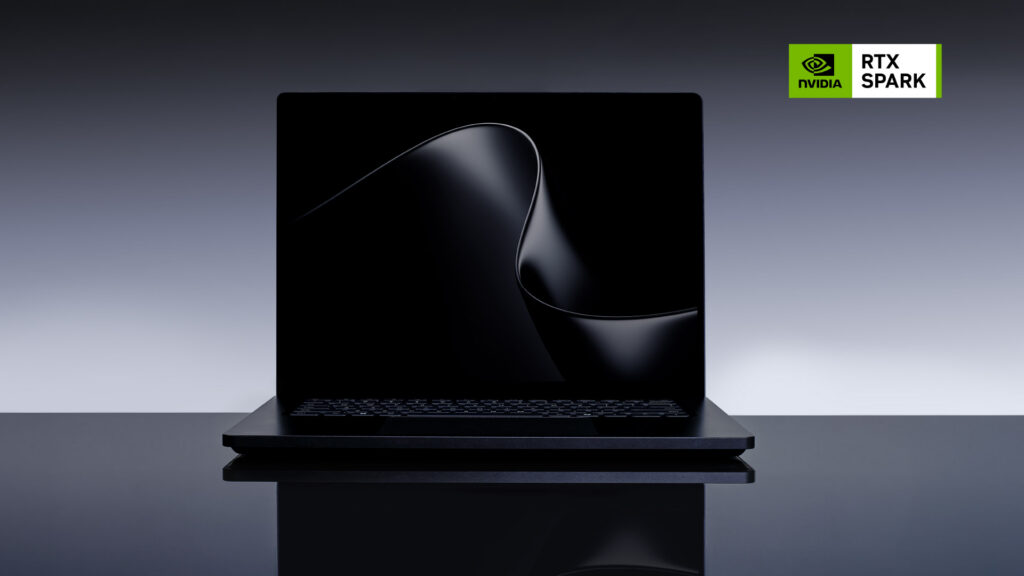
A new kind of Surface
While we don’t normally dive too deeply into the technical specs, the Surface Laptop Ultra is worth a closer look. It combines an NVIDIA CPU and an NVIDIA Blackwell RTX GPU in a single system, with up to a 20-core CPU and a 6,144-core GPU in the top configuration, delivering up to 1 petaflop of AI performance. Positioned at the top of the Surface range, it’s built for technical professionals whose workloads have outgrown a standard business laptop.
Microsoft describes its audience as “world makers”, spanning developers, engineers and creators. We see AI developers as the clearest fit, particularly those building and testing AI agents, and that’s the lens we’re using to explore this device.
What one petaflop of AI performance actually means
By definition, a petaflop is one quadrillion calculations per second, but that doesn’t tell us much. For context, current Copilot+ PCs are 80 TOPS, and one petaflop equals 1,000 TOPS, so it’s no surprise that the new Surface Laptop Ultra sits in a category of its own.
However, Microsoft and NVIDIA describe this class of device as a supercomputer at the endpoint, and history shows why. In 2008, Roadrunner at the US Department of Energy’s Los Alamos National Laboratory became the first supercomputer to reach the petaflop milestone. It cost US$100 million, occupied 296 racks across 560 square metres, and drew 2.35 megawatts of power. The Surface Laptop Ultra matches that headline figure in a 2kg laptop.
Running large AI models locally
Parameters are the learned values an AI model uses to respond to requests. In general, a model with more parameters can handle more complex tasks, though it also requires more memory. Microsoft says the Surface Laptop Ultra can run models with up to 120 billion parameters directly on the device. That puts it within reach of powerful open models such as OpenAI’s gpt-oss-120b, which developers can download and run on their own hardware.
In practice, developers can use a local model for coding help, agent workflows and analysing sensitive documents, all without data leaving the laptop. When a task requires greater capability, workloads can be seamlessly shifted to frontier models in the cloud.
A key enabler is the devices shared memory architecture. Most laptops split memory between the processor and the graphics card, which can limit the size of the model they can run. The Surface Laptop Ultra instead provides a shared pool of up to 128 GB across both, giving larger models the resources they need to run on the device rather than relying on cloud infrastructure.

Why local AI matters for cost, speed and control
For AI developers, the value is evident in the daily workflow. Cloud models typically charge per token, and agent development consumes them quickly because agents call models repeatedly while planning, testing and retrying. Running models locally turns that variable cost into a fixed hardware investment, allowing developers to iterate without watching a usage dashboard. Microsoft pitches it as a cure for “token anxiety”.
Local processing also reduces latency by eliminating network round trips during development and testing. It keeps proprietary code, models and datasets on the device rather than sending them to a third-party service. When a task needs frontier-scale intelligence, developers can still scale up to the cloud, creating a flexible workflow that combines local and cloud AI.
Full support for NVIDIA’s CUDA platform, one of the most widely used environments for accelerated computing, provides developers with familiar tools and libraries alongside the Windows AI stack. An all-new thermal system with up to 2.5 times the thermal capacity of the 15-inch Surface Laptop (8th Edition) keeps performance consistent during long sessions. In Microsoft’s pre-release testing across 20 benchmark workloads, the Surface Laptop Ultra retained an average of 99.6% of its plugged-in performance while running on battery.
Supercomputer-class endpoints need enterprise-class control
On its own, a single Surface Laptop Ultra is a powerful development tool, but a fleet of them delivers serious compute across your endpoints. Harnessing that power at an organisational level requires planning. Which models are approved to run locally? Where does training and test data come from, and where does it go? How do you prevent capable local AI from becoming a new form of shadow IT?
Microsoft has built strong foundations into the hardware. A memory-safe security architecture combines Rust-based firmware, a Secure Embedded Controller, a discrete TPM and Microsoft Pluton to protect device integrity from boot through runtime. As a Secured-core PC, it ships with key hardware, firmware and OS protections enabled by default, and is supported by BitLocker encryption and Windows Hello Enhanced Sign-in Security.
IT teams can manage configuration and firmware remotely via Microsoft Intune, DFCI and Surface Enterprise Management Mode, with firmware and OS updates delivered together through Windows Update. The removable SSD gives organisations with strict data-handling requirements another option, supported by Microsoft’s drive retention offering.
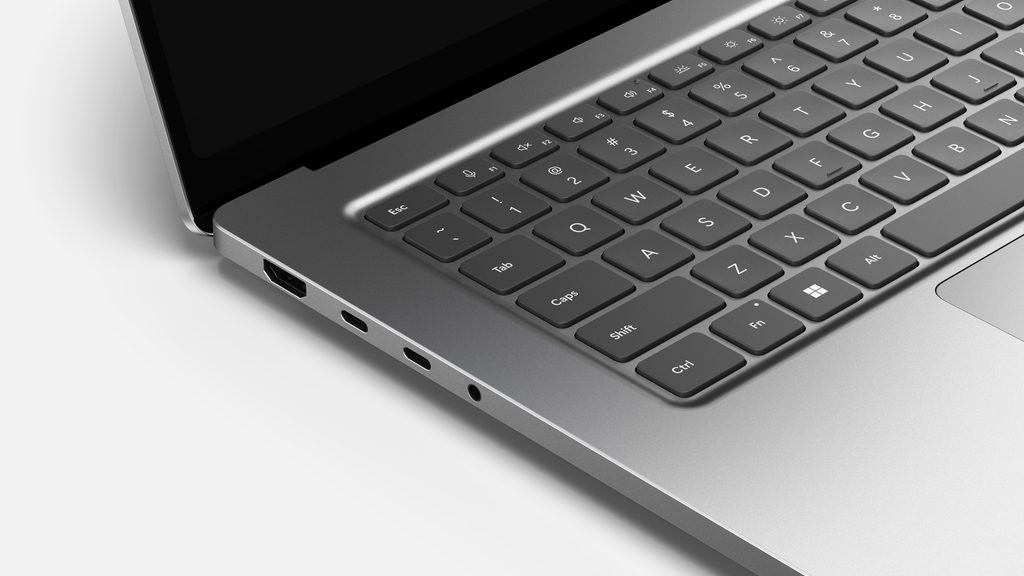
The details that make it a daily driver
The Surface Laptop Ultra also brings practical changes that anyone who has used a Surface Laptop previously will notice. It’s the first Surface Laptop with an HDMI port (HDMI 2.1b), along with USB-A, a full-size SD card reader, a 3.5 mm headphone jack and three USB-C ports with USB4. Every USB-C port supports 140W charging, 40 Gbps data transfer and DisplayPort 2.1, and the device can drive up to three external 4K monitors at 60 Hz. Microsoft calls it the best port selection ever on a Surface Laptop, meaning fewer dongles in the laptop bag.
Charging looks set to change too. Microsoft’s serviceability documentation lists a “USB Mag-C port” among its replaceable components, indicating a magnetic USB-C charging connection that detaches if someone trips over the charging cable, rather than pulling the device to the floor. The compact charger is also small enough to fit in a jacket pocket.
The 15-inch mini-LED PixelSense Ultra touchscreen reaches a peak HDR brightness of 2,000 nits, making it the brightest display Microsoft has put on a Surface Laptop, which is great for designers. At 262 pixels per inch, with a 3:2 aspect ratio and up to 120 Hz refresh rate, it keeps code, interfaces and visual assets sharp. It also retains the touchscreen that Surface users expect.
Despite its performance, it’s less than 18 mm thin, weighs 2 kg, and comes in Platinum or the new Nightfall finish. A haptic touchpad, 30% larger than on the Surface Laptop (8th Edition), adds precision for fine cursor work. Microsoft describes battery life as all-day, based on internal testing of pre-release units, with final figures still to come.
Like other devices in the Surface fleet, it’s designed for serviceability. Internal wayfinding, published repair guides and replacement components cover parts including the display, keyboard, battery, SSD and charging port. Packaging uses 87% recycled content in its wood-based fibre, and the enclosure contains 66% recycled content.
Beyond AI development
The Surface Laptop Ultra isn’t just aimed at AI developers. Its powerful GPU, high-resolution display and expanded connectivity also make it an interesting option for creators, engineers and designers.
That said, it’s important to validate application compatibility before choosing your new device. The device runs Windows on ARM, and while native app support has improved significantly, some creative, engineering and CAD applications may still run only on x86 or rely on emulation. Confirming support for your core tools and workflows upfront can help avoid surprises later.
What’s next
Over the coming months, our team of AI developers and will use the Surface Laptop Ultra for real-world agent development, testing how it handles local models, orchestration frameworks and day-to-day development workflows. We’ll also explore what secure enterprise deployment looks like in practice, including device management, data protection and AI governance considerations.
Whether you’re reaching the limits of cloud-dependent AI workflows, or evaluating the role of local AI in your endpoint strategy, contact our team of Data#3 Surface specialists to discuss configurations, availability and a secure deployment plan.

Information provided within this form will be handled in accordance with our privacy statement.